For most people, just having a reliable enterprise
solution for quick deployment is enough, but we didn't
stop there.
Included with ImageCast is a set of powerful tools,
designed with the IT professional in mind. Following are
brief descriptions of the three major utilities included
on this CD-ROM.
NOTE: The terms of your License Agreement and
the presence of a purchased License Certificate file will
determine availability of these utilities.
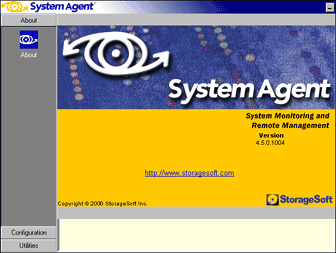
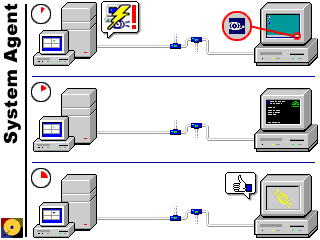
System Agent makes Remote Management possible on
workstations in your enterprise. Use System Agent to send
files, launch programs, shut down and restart Windows or
reboot to a pre-installed copy of the Multicast Client.
System Agent reports system statistics, device
information, and current disk-usage information with a
click of the mouse.
When you install System Agent with the appropriate
Multicast Client diskette, you get the added feature of
commanding that workstation from the Control Console.
Imagine being able to restore a dozen workstations with
one Image without having to visit a single one!
When a leading IT Management platform is in use, System
Agent doubles as a fully functional SNMP Agent. More
information on specific SNMP implementations can be found
on the ImageCast
website.
Cloning even a few machines is hardly time-efficient
when you have to personally visit each one to establish
custom settings. This is a necessity with workstations on
a network; each must have a unique identity. What if the
reconfiguration could be done as part of the deployment
itself?
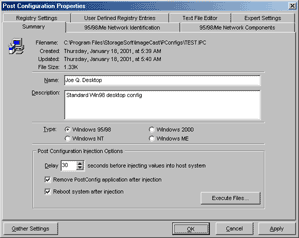
Enter the PostConfig Injector. This small, yet
powerful, assistant to both the ImageCast Control Console
and the Standalone Client is a fantastic helper in your
large-scale deployment.
When installed on the Model Workstation, the PC built
as the source for an Image, the PostConfig Injector
automatically sets itself as the first task when the
workstation next boots. After the system is shut down and
gathered, the resulting Image is “primed” to use Post
Configuration Settings after it is restored on other
workstations.
You can install PostConfig Injector directly from this CD.
You may think that imaging a complete hard disk and
restoring it to another is rather amazing. Now imagine how
this technique can be applied to individual Windows
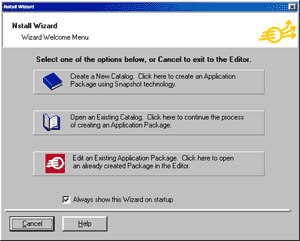
applications. That's what AppNstall is all about. You can
capture software installations and package them for
distribution to new or existing workstations within your
enterprise.
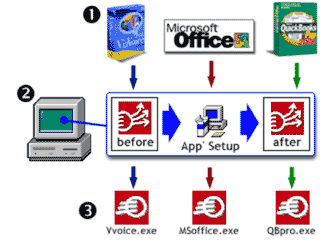
With most any setup application (excluding system
updates), creating compact “packages” is just three
steps away…
(1) Select the applications that you wish to “capture.”
(2) Install each, in turn, on the Model Workstation.
(3) After each setup, use AppNstall to create setup
packages;
these, unlike conventional setup applications, can run
without user assistance.
AppNstall makes ImageCast a truly comprehensive
package; not only does imaging make the base-system
deployment quicker and easier, but now you don't have to
create a separate Image for different applications. With
AppNstall, you can use a single Image and add applications
as needed. Combining this technology with System Agent
lets you perform complete application deployments from a
single desktop!
Aside from its use when combined with disk-imaging,
packaging has more to offer, such as quick and easy
deployment of new corporate applications, or easily
distributing updates to your existing applications. When
care is taken to plan the deployment according to the
guidelines of the application developer, a massive update
could be done in a single evening.
With the ever increasing complexity of Windows-based
systems, you'd think the process of binary imaging would
be complicated as well. This tool challenges conventional
wisdom by providing a one-step solution for preparing
Windows 2000™ systems for imaging.
After building the Win2K Model Workstation, install the
Win2K Preparation Tool and let it do the rest of the “dirty
work” for you. This utility prepares the system by
clearing errors from the hard disk, verifying that
partitions are within imaging parameters, installing
Microsoft System Preparation Tool™ and/or the PostConfig
Injector, and automatically shutting down the system when
it's time to gather the image.
NOTE: Use the Win2K Preparation Tool immediately
before gathering the image. If Windows™ is allowed to
boot again after Win2KPrep is finished, and before the
image is gathered, you must use it again before
gathering the image.
|